
Share this
by Myzone on Tuesday, 12 September 2017
As a MYZONE user, we know that you enjoy getting live feedback about your workout effort and being rewarded for your progress. You can also use the MYZONE system to track your progress over time!
In this blog post, we will outline 5 ways in which you can use the MYZONE system to track your workout effort over time – whether that's one week, one month, one year, or longer.
The benefits of tracking your progress are multi-fold. You can better understand which workouts are serving you well, you can discover where you need to make tweaks or changes to your workouts, and you can celebrate achieving your fitness goals.
Let’s get right into the 5 ways you can use MYZONE to track your fitness progress.
1. Monitor How Your Heart Rate Response Changes Over Time
You have heard us explain many times before that the more fit you become, the more of an exercise stimulus is required to elevate your heart rate up into the higher intensity zones. Your heart rate response to the same (or similar) work rates will change over time as you become more fit.
For example, if running at 6.5 miles per hour at a 1% incline on the treadmill got you into the RED zone the first few times you ran at that work rate, you may find that your heart rate only reaches the YELLOW zone after a few weeks of training.
How about another example for a cycling class? Maybe the first few weeks you started taking cycling classes, you were in the YELLOW and RED for the majority of the class, but then after a month or so of taking classes, you found that you were mostly in GREEN and YELLOW and only occasionally in RED.
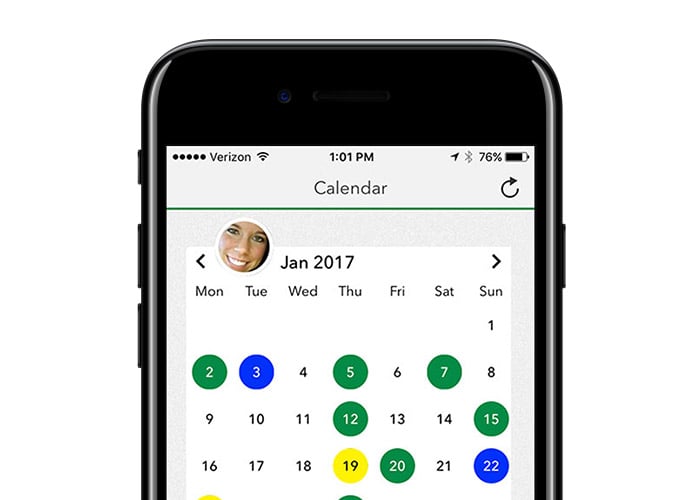
The Activity Calendar feature of the MYZONE app makes it convenient to monitor changes in your heart rate response over time. Take a look at similar workouts you performed in different weeks and different months and take note of your average intensity, your peak heart rate, and your intensity graph – see if you can notice changes in your heart rate response. This will require you to be diligent about labeling your workouts (and maybe attaching a picture to help you remember) so that you can compare over time.
If you really want to be able to see changes in your heart rate response over time, be purposeful about noting your work rate for each workout. Examples of this include speed and incline for running and elliptical; rotations per minute (rpm), watts, or distance for cycling; distance, strokes per minute, and watts for rowing; and load, sets, reps, and rest period for resistance training (like a circuit).

2. Monitor Your Body Metrics Over Time
The MYZONE App gives you the opportunity to track the following body metrics: weight, resting heart rate, height, waist circumference, waist-to-hip ratio, body mass index (BMI), body composition, basal metabolic rate (probably will not change much), metabolic age, and a fitness score. Those are a lot of data points to be able to see change/progress in your health and fitness.
We suggest that you select the data points that are most meaningful to you and related to your health and fitness goals and track those. If you are not sure where to start, hire a personal trainer and ask them to help you identify the appropriate metrics. They will probably be able to provide a preliminary assessment for you and follow-up assessments over time.
Remember that physiological changes take time (as in 4 to 8 weeks), so be patient with the process!
3. Monitor Your Calories Burned and MEPs Earned Over Time
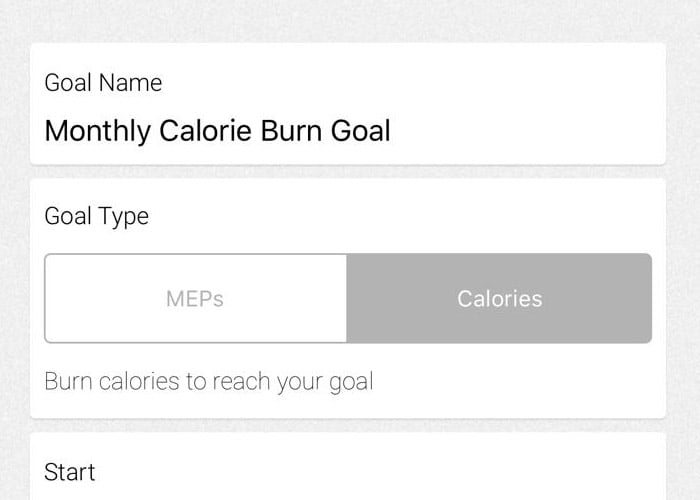
You can set calorie burning and MEP earning goals each month using the MYZONE App. Make sure that you don’t just set the goal and forget about it – be sure to check in with your calories burned and MEPs earned each workout and each week to be sure you are making progress toward your monthly goal. If you need to, revise your monthly goal up or down to make it both realistic and challenging.
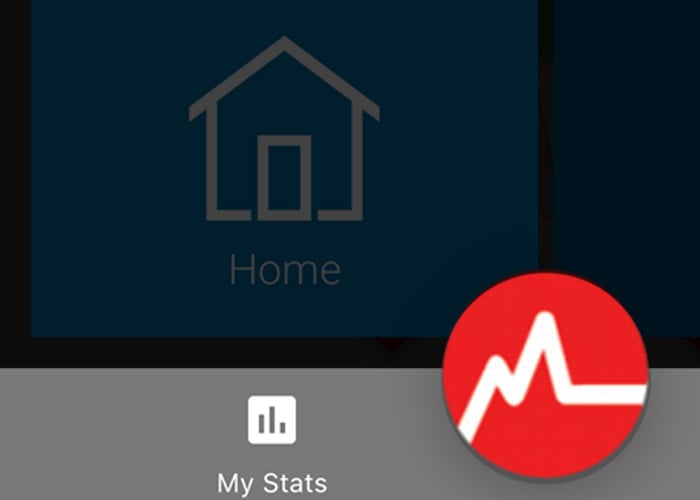
You can also click on the “My Stats” feature in the bottom left of the home screen on the App to monitor your progress toward your MEPs goal, and to view your weekly, monthly, yearly, and total MEPs earned and calories burned for comparison points. You can also review your Moves for the week, month, year, and total (as in, since you’ve been wearing your belt)!
Make note of how your workout effort has progressed on any of those metrics – have you burned more calories this month than the previous month? How about six months ago? Have you earned more MEPs this year than you did last year? Have you increased the frequency of your workouts in the past few months as compared to when you first started wearing your belt?
This leads us to the fourth way you can monitor progress.

4. Monitor Your F.I.T.T. Over Time
We have used the acronym F.I.T.T. in past blogs and Fitness Fridays. Here's the definition:
F = Frequency: How often?
I = Intensity: How hard?
T = Time (or Duration): How long/how far?
T = Type: What mode of exercise?
For the purpose of monitoring progress, we’ll focus on the first 3 variables of the acronym. In general, when seeking to improve your fitness in a sustainable way, you want to progress only one variable at a time, and by about 5-10% per week. We recommend starting with increasing time (or duration), then either frequency or intensity.
An example of progressing your time (or duration) would be to add 3 minutes to a 30-minute run you did last week. An example of progressing your intensity would be to aim for 85% as your target intensity this week, as opposed to the 80% you hit the week before. An example of progressing your frequency would be to add a workout during the week, or maybe every other week.
Below are ways you can monitor your progress specific to each variable over time.
Frequency
Your Activity Calendar and the “My Stats” feature of the App allow you to track how many times you are working out each week, each month, and each year. We suggest you keep track of how many Moves you complete each month and set a goal to gradually add in an extra workout or two (per month) over time.
It’s pretty fun to compare the first month you ever worked out with your belt to a more current month once you’ve been wearing the belt for several years. You can see the fluctuations throughout the years and determine what factors may have influenced the number of workouts you were doing each week, month, and year.
Intensity
As explained in the first section of this post, you can monitor how your heart rate responds differently to similar work rates over time.
When you use the live feed of your intensity, notice how GREEN, YELLOW, and RED feel now compared to several weeks or months ago. Notice how your heart rate responds differently to a work rate you had used in the past.
Something else that you might notice (and we’ve highlighted frequently in the past) is that your heart rate should recover more quickly the more fit you become. If it used to take you 2 to 3 minutes to recover back down to BLUE after being in YELLOW, you might find that you are able to reach BLUE in less than a minute after two to four months of training.
Time (Duration)
Look back through your Activity Calendar and take note of the duration of your different workouts. Was there a rhyme or reason to changes in the length of your workouts? Why or why not? Going forward, you can be purposeful about setting goals and monitoring the duration of your workouts.
5. Monitor Your MYZONE Status
One of the best ways to monitor consistency in your fitness progress is to keep an eye on your MYZONE Status! You can see your MYZONE Status when you click the “My Stats” section on the home page of the app. You will also see it in your Monthly Recap e-mails.
If you earn a minimum of 1300 MEPs for the month, you will gradually move up in your MYZONE status. You will start at Iron Status and eventually progress to Hall of Fame Status once you have earned 1300 MEPs in a row for 48 months (4 years).
Consistency is key in the game of fitness, so your MYZONE status is a metric to feel really proud of!
As you track your workout effort, be sure you celebrate achieving your goals – no matter how small!
Remember to use the hashtags #effortrewarded and #myzonemoves when you post your workout pics, and don’t forget to add your workout pics with your moves in your Activity Calendar!
For more tips on how to use the MYZONE System and App to track your workout effort, follow us during Fitness Fridays on Facebook Live (subscribe on MYZONE’s Facebook Page) – 8 am PT, 11 am ET, and check out our MYZONE Moves Podcast on iTunes or Google Play.
Keep moving forward!