
Share this
by Myzone on Thursday, 7 September 2017
Do you want to become a runner, but have no idea where to begin? Don’t feel alone - many people experience that feeling when they first start a running program.
That's why we're dedicating this blog post to support you in starting a running program and becoming a runner!
We will offer specific advice about running frequency, intensity, and duration during the first two months of your program. Of course, you can tweak these guidelines to fit your needs, and if you're unsure of how to do so, consult a personal trainer near you.
Before you know it, you will be 5k ready!!!
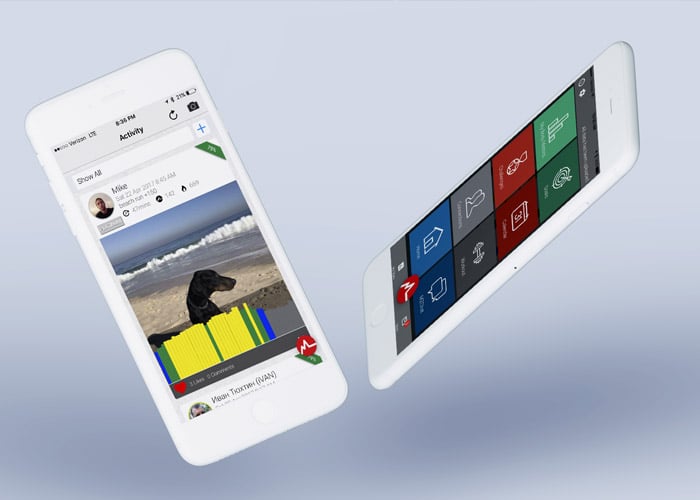
Using MYZONE to Start a Running Program
Let’s get right into the specifics of how you can use the MYZONE system to support you when starting a running program.
Here are a few easy-to-follow steps and program guidelines:
- Download the MYZONE App: You will need the MYZONE App to monitor your intensity and MEPs earned during your workout. If you recruit a few friends to start running with you, add them as Social Connections on the App – the accountability is awesome.
- Set Weekly Frequency, Intensity, Duration, and MEP Goals:
- Frequency: How often you run each week. How many days/week will you dedicate to running? See our program outline below for suggestions.
- Intensity: How hard you run each week. You will measure this with your MZ-3 belt via your percentage of maximum heart rate. You will target specific zones: GRAY, BLUE, GREEN, YELLOW, or RED depending on your training goal. We recommend starting out using primarily the BLUE and GREEN zones until you have built a solid aerobic base. See our program outline below for suggestions.
- Duration: How long you run (can be measured in distance or time) each week. See our program outline below for suggestions.
- MEPs Goals: Use the Goals function of the MYZONE App to set MEP goals for the week or the month. See our program outline below for suggestions.
- Listen to Your Body and Rate Your Workout: Adjust the frequency, intensity, and duration goals you set out to achieve as needed. Listen to your body, and use the “How did you like your latest move?” feature to indicate your response to each workout. It will be great to go back and monitor what your body has “liked” and “disliked” over time.

Monitor Your Progress
At the end of the week, go back through your MYZONE calendar and check for the following:
- Did you meet your frequency, intensity, and duration goals for the week?
- How did you like each workout?
- Did you earn the number of MEPs you were targeting? Check in with MEPs earned each workout, each week, and each month to be sure you are staying on target.
- Revise your goals as necessary.
- You can also watch for how your heart rate starts to respond differently to the same work rate. As you become more fit, your submaximal heart rate response to any given work rate will reduce. For example, if you started out running at 15-minute mile pace in week one and your heart rate was in the GREEN and YELLOW zones, you might notice that by week three or four, the same pace might only get your heart rate up into the BLUE or GREEN zones. Therefore, you might be able to increase your running speed to 13-minute mile pace and see the same heart rate response you originally saw at 15-minute mile pace. Progress!
We encourage you to think big, but start small. Too much too soon can lead to overtraining, overuse injury, and burnout. Some running coaches use the advice of ending most workouts feeling like you could have done a little more. Of course, there is a time and place to give your run everything you’ve got, and that is usually during a race or during a pre-scheduled hard workout.
Sample Running Program
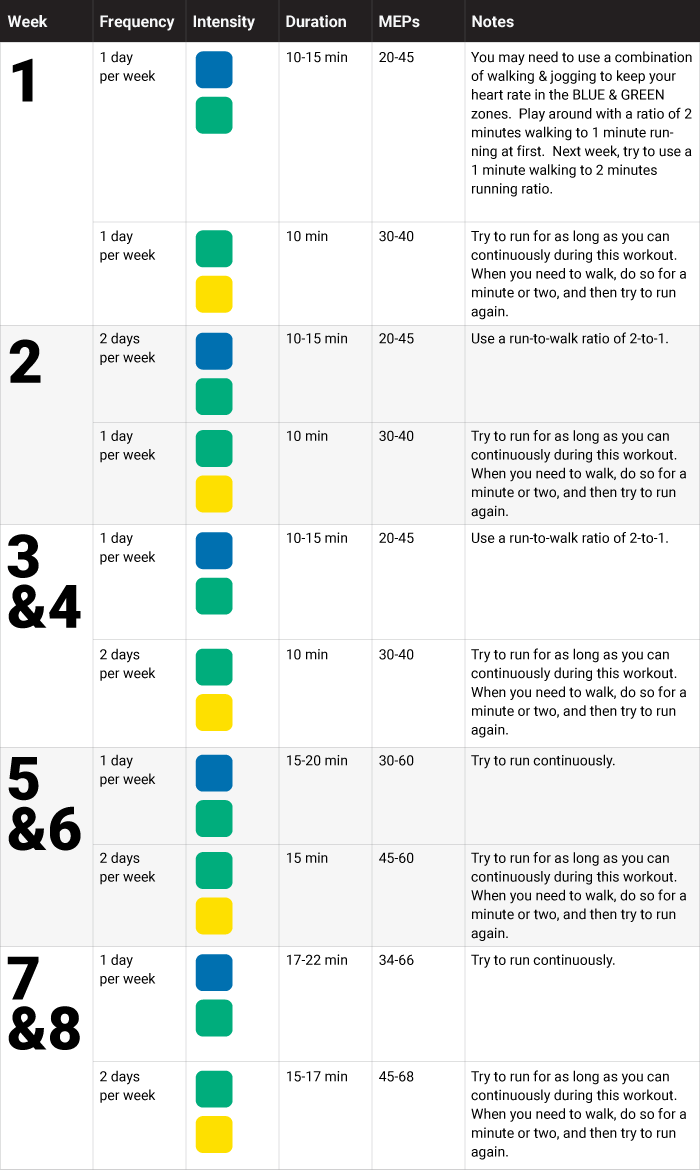
Here is a sample program outline for a new runner using the MYZONE App System:
Before each workout, start with a 5-7 minute warm up in the GRAY, BLUE, and GREEN zones. You can use a walk, jog, or dynamic warm up to get started.
Enjoy the start of your running program!
Remember to use the hashtags #effortrewarded and #myzonemoves when you post your workout pics, and don’t forget to add your workout pics with your moves in your Activity Calendar!
For more tips on how to use the MYZONE App and heart rate monitor, follow us during Fitness Fridays on Facebook Live (subscribe on MYZONE’s Facebook Page) – 8 am PT, 11 am ET, and check out our MYZONE Moves Podcast on iTunes or Google Play.
Keep moving forward!